
What you’ll learn
- The three effect layers (MaterialEffect / LightEffect / PassEffect) and which job each owns
- How to author a
PassEffectwithcreatePassEffectand chain multiple in insertion order - The full
DefaultLightEffectschema — uniforms vs compile-time constants, removed fields,categoryQuotas
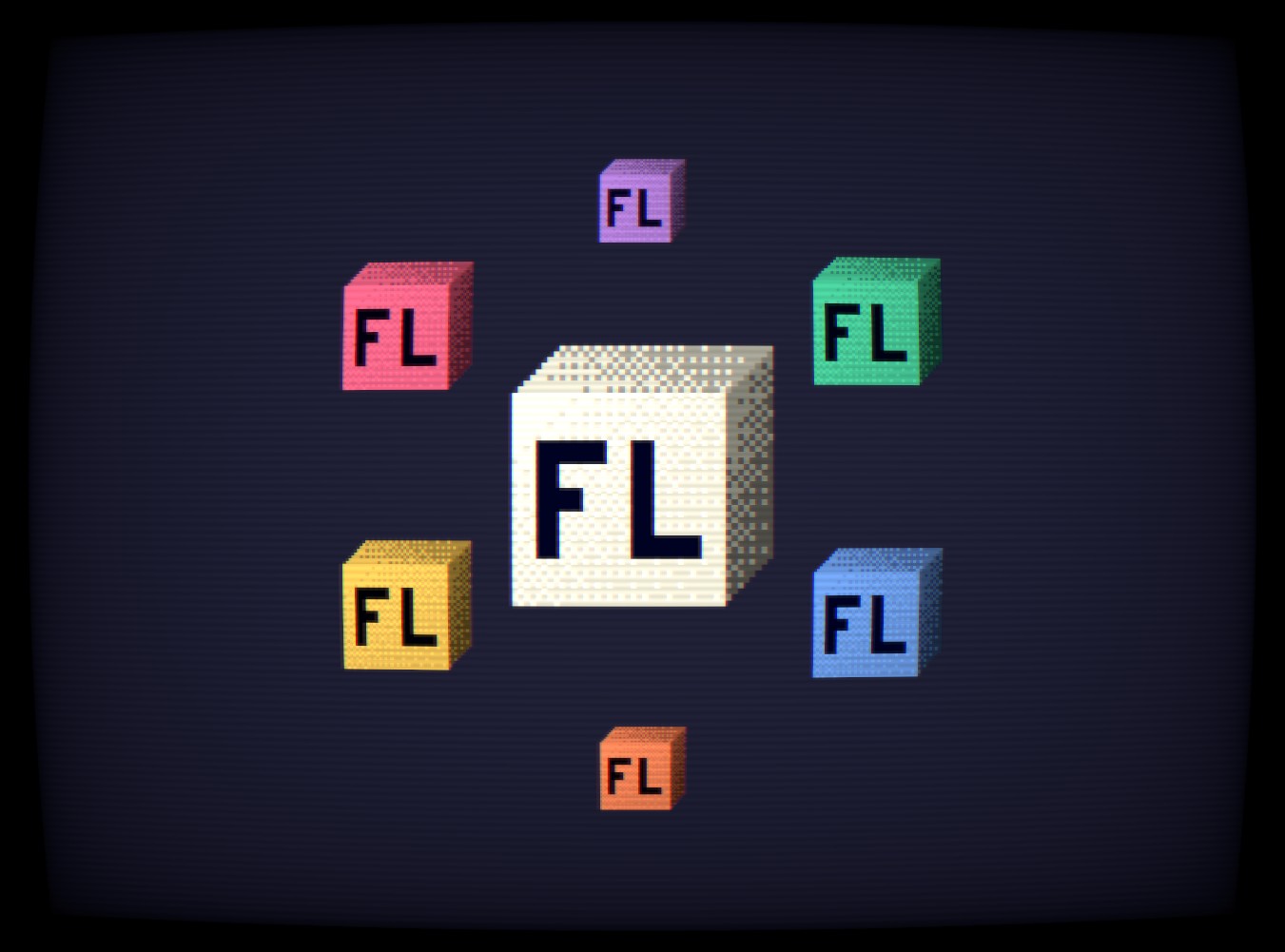
Pass Effects are full-screen post-processing effects applied after sprite rendering. They transform the entire scene output — CRT curvature, scanlines, color quantization, VHS distortion, and more. Pass effects require a Flatland instance.
The three effect layers
Section titled “The three effect layers”three-flatland’s effect system is layered, and the layers are easy to conflate because they share a factory shape (createXEffect) and a schema-driven API. Pick the right one for the job:
| Layer | Factory | Scope | When to Reach For It |
|---|---|---|---|
| MaterialEffect | createMaterialEffect | Per-sprite fragment shader | Damage flash, outline, dissolve, hue shift — anything that transforms one sprite’s color. Channel providers (NormalMapProvider) are also MaterialEffects — see the Baked Normal Pipeline for how to get a normal-map texture into NormalMapProvider. |
| LightEffect | createLightEffect | Scene singleton — drives every lit sprite | Choose or author the lighting model: tiled Forward+, GI, banded cel, etc. Exactly one is bound to a Flatland instance via setLighting(). See the Lighting guide. |
| PassEffect | createPassEffect | Full-screen post-process | CRT, LCD grid, scanlines, VHS, chromatic aberration. Chained on the rendered scene after lighting. |
The rest of this guide focuses on PassEffect; for LightEffect authoring see the Lighting guide, and for MaterialEffect see the TSL Nodes guide.
Creating a pass effect
Section titled “Creating a pass effect”Use createPassEffect with a name, a schema defining parameters, and a pass builder function:
import { createPassEffect } from 'three-flatland'import { posterize } from '@three-flatland/nodes'
const PosterizePass = createPassEffect({  name: 'posterize',  schema: { bands: 6 },  pass: ({ uniforms }) => (input, uv) => {    return posterize(input, uniforms.bands)  },})
The pass callback receives a context with TSL uniform nodes for each schema field and returns a PassEffectFn:
type PassEffectFn = (input: Node<'vec4'>, uv: Node<'vec2'>) => Node<'vec4'>input— the scene color (or previous pass output)uv— screen-space UV coordinates
Schema fields become typed properties on instances with zero-cost uniform updates — changing a value updates the GPU uniform directly without rebuilding the shader graph.
Using pass effects
Section titled “Using pass effects”import { Flatland, createPassEffect } from 'three-flatland'import { posterize, crtVignette } from '@three-flatland/nodes'
const PosterizePass = createPassEffect({ name: 'posterize', schema: { bands: 6 }, pass: ({ uniforms }) => (input, uv) => posterize(input, uniforms.bands),})
const VignettePass = createPassEffect({ name: 'vignette', schema: { intensity: 0.4, curvature: 2 }, pass: ({ uniforms }) => (input, uv) => crtVignette(input, uv, uniforms.intensity, uniforms.curvature),})
const flatland = new Flatland({ viewSize: 400, clearColor: 0x1a1a2e })
// Add passes — they chain in insertion orderconst post = new PosterizePass()const vig = new VignettePass()flatland.addPass(post).addPass(vig)
// Zero-cost parameter updatespost.bands = 10vig.intensity = 0.25import { useEffect, useRef } from 'react'import { extend, useFrame, useThree } from '@react-three/fiber/webgpu'import { Flatland, createPassEffect } from 'three-flatland/react'import { posterize, crtVignette } from '@three-flatland/nodes'import type { WebGPURenderer } from 'three/webgpu'
extend({ Flatland })
const PosterizePass = createPassEffect({ name: 'posterize', schema: { bands: 6 }, pass: ({ uniforms }) => (input, uv) => posterize(input, uniforms.bands),})
const VignettePass = createPassEffect({ name: 'vignette', schema: { intensity: 0.4, curvature: 2 }, pass: ({ uniforms }) => (input, uv) => crtVignette(input, uv, uniforms.intensity, uniforms.curvature),})
function Scene() { const flatlandRef = useRef(null) const renderer = useThree((s) => s.renderer)
useEffect(() => { const flatland = flatlandRef.current const post = new PosterizePass() post.bands = 10 const vig = new VignettePass() vig.intensity = 0.25 flatland.addPass(post).addPass(vig) return () => flatland.clearPasses() }, [])
useFrame(() => { flatlandRef.current?.render(renderer as unknown as WebGPURenderer) }, { phase: 'render' })
return ( <flatland ref={flatlandRef} viewSize={80} clearColor={0x1a1a2e}> {/* sprites */} </flatland> )}Pass chaining Advanced
Section titled “Pass chaining ”AdvancedMultiple passes compose into a single pipeline. Each pass receives the previous pass’s output:
flatland.addPass(posterize) // 1. Reduce color bandsflatland.addPass(lcdGrid) // 2. Apply LCD pixel gridflatland.addPass(backlight) // 3. Add backlight bleedflatland.addPass(vignette) // 4. Darken edgesDynamic switching
Section titled “Dynamic switching”Swap pass chains at runtime:
flatland.clearPasses()
// Apply a new presetconst crt = new CRTPass()flatland.addPass(crt)
Pass management API
Section titled “Pass management API”| Method | Description |
|---|---|
flatland.addPass(pass, order?) | Add a pass (optional explicit order) |
flatland.removePass(pass) | Remove a specific pass |
flatland.clearPasses() | Remove all passes |
flatland.passes | Read-only array of current passes |
pass.enabled | Toggle a pass without removing it |
Effects that need texture sampling
Section titled “Effects that need texture sampling”Some effects distort UVs — they read pixels at offset positions. These require convertToTexture(input) to create a sampable texture from the node graph:
import { convertToTexture } from 'three/tsl'import { createPassEffect } from 'three-flatland'import { vhsDistortion } from '@three-flatland/nodes'
const VHSPass = createPassEffect({  name: 'vhs',  schema: { time: 0, intensity: 0.012, noiseAmount: 0.05 },  pass: ({ uniforms }) => (input, uv) => {    const tex = convertToTexture(input)    return vhsDistortion(tex, uv, uniforms.time, uniforms.intensity, uniforms.noiseAmount)  },})
Effects that need convertToTexture: crtComplete, crtCurvature, vhsDistortion, chromaticAberration.
Effects that work directly on the color node: posterize, quantize, scanlines, lcdGrid, crtVignette, lcdBacklightBleed, staticNoise.
Animating parameters
Section titled “Animating parameters”Schema properties update the GPU uniform directly — no shader recompilation:
const vhs = new VHSPass()flatland.addPass(vhs)
// In the render loopvhs.time = elapsed        // Drive distortion animationvhs.intensity = 0.02      // Adjust strength
Available TSL nodes
Section titled “Available TSL nodes”All post-processing nodes are exported from @three-flatland/nodes:
CRT display
Section titled “CRT display”| Node | Description |
|---|---|
crtComplete | Full CRT simulation (curvature + scanlines + bloom + vignette + color bleed) |
crtCurvature | Barrel distortion for curved screen |
crtVignette | Edge darkening |
crtBloom | Glow from bright pixels |
crtColorBleed | RGB channel offset |
crtConvergence | RGB convergence offset |
Scanlines
Section titled “Scanlines”| Node | Description |
|---|---|
scanlinesSmooth | Sine-wave scanline overlay |
scanlines | Hard scanline pattern |
scanlinesGlow | Bright scanline edges |
scanlinesInterlaced | Alternating-field interlace |
LCD display
Section titled “LCD display”| Node | Description |
|---|---|
lcdGrid | Visible pixel grid (handheld console) |
lcdBacklightBleed | Uneven backlight glow |
dotMatrix | Dot matrix display pattern |
lcdPocket | Game Boy-style LCD |
lcdGBC | Game Boy Color LCD |
Retro color
Section titled “Retro color”| Node | Description |
|---|---|
posterize | Reduce color bands |
quantize | 8-bit color reduction |
bayerDither4x4 | Ordered dithering |
palettize | Map to a color palette |
Analog video
Section titled “Analog video”| Node | Description |
|---|---|
vhsDistortion | VHS tracking errors and wave distortion |
staticNoise | Analog TV snow |
chromaticAberration | RGB channel separation |
ntscComposite | NTSC signal artifacts |
analogGlitch | Random glitch bands |
DefaultLightEffect schema
Section titled “DefaultLightEffect schema”DefaultLightEffect is a LightEffect, not a PassEffect — but it’s the most heavily-customized effect in the preset set, and its schema is documented here as the canonical place readers will look for “what knobs does the recommended lighting actually have?”. For an introduction to LightEffects in general, see the Lighting guide.
The schema splits cleanly into two flavors: uniforms that update at zero cost, and compile-time constants that trigger a shader rebuild when assigned.
Uniforms (live-tunable, no rebuild)
Section titled “Uniforms (live-tunable, no rebuild)”Assigning these is a .value = write on a TSL uniform node — costs nothing. Animate them in your render loop without thinking about cost.
| Uniform | Default | Description |
|---|---|---|
shadowStrength | 0.6 | Lerp factor from lit → traced shadow. 0 disables shadow contribution; 1 is full opacity. |
shadowBias | 0.5 | Hit epsilon (world units) — SDF samples below this count as an occluder strike, terminating the trace. |
shadowStartOffsetScale | 1 | Multiplier on each sprite’s per-instance shadowRadius when the trace origin sits inside that caster’s silhouette. Nudge above 1.0 if you see residual self-shadow on elongated sprites. |
shadowMaxDistance | 0 | Max world-space distance a shadow extends from the receiver before fading. 0 disables falloff (binary shadow at any distance). Typical: 100–300 — keeps near-caster shadows solid while hiding cone-fan artifacts far from the caster. |
shadowPixelSize | 0 | Snap the shadow trace’s surface position to a world-unit block grid (1/2/4/8). Purely aesthetic — does NOT reduce GPU cost. |
bands | 8 | Cel-band count for the direct-light contribution. |
pixelSize | 0 | Surface-position snap cell width for the lighting math. |
glowRadius | 0 | Broad secondary falloff radius (multiplied into per-light effective distance). |
glowIntensity | 0 | Strength of the broad glow added to point/spot attenuation. |
lightHeight | 0.75 | Universal +Z component added to every light’s direction — higher reads as more top-lit. |
rimIntensity | 0 | Strength of the rim-lighting accumulator. Rim power is fixed at (1 − N·L)². |
Compile-Time constants (writable, but each write rebuilds)
Section titled “Compile-Time constants (writable, but each write rebuilds)”These are stored as primitive constants on the effect instance. Setting them is legal at runtime, but each assignment triggers a shader rebuild and emits a dev-mode warning:
[three-flatland] defaultLight.glowEnabled changed at runtime — triggers shader rebuildThe payoff: when off, the gated branch never reaches the GPU, so a scene that doesn’t use glow / rim / snap pays zero ops for those features.
| Constant | Default | What it gates |
|---|---|---|
glowEnabled | false | Broad-falloff “glow” added to point/spot attenuation. ~9 ops per light per fragment when on. |
rimEnabled | false | Rim-lighting accumulator + the inner (1 − N·L)² per-light term. ~6 ops per light per fragment when on. |
pixelSnapEnabled | false | Surface-position snap for the lighting math (chunky cel cells). |
shadowPixelSnapEnabled | false | Surface-position snap for the shadow trace origin (blocky shadow silhouettes). |
bandsEnabled | true | Cel-band quantization of the direct-light contribution. |
Pattern in the example: derive the boolean from the uniform crossing zero, so the shader rebuilds on the 0 → N transition and live-updates while the slider stays above 0.
const bandsEnabled = bands > 0const pixelSnapEnabled = pixelSize > 0const shadowPixelSnapEnabled = shadowPixelSize > 0const glowEnabled = glowRadius > 0const rimEnabled = rimIntensity > 0Removed fields
Section titled “Removed fields”The following fields existed in earlier versions and have been removed. If you’re migrating, delete the assignments — they’ll be silently undefined now.
rimPower— rim sharpness is now hardcoded as(1 − N·L)². Saves a per-lightpow()(an SFU instruction) for the case nobody actually slid at runtime. Fork the effect if you need a different curve.capShadowStrength/capShadowThreshold— the manual wall-cap darkening hack is replaced by elevation-aware N·L. Walls whose elevation exceedslightHeightphysically receive a negative L.z, clamp N·L to zero, and end up with only ambient — no special-case uniform required.
categoryQuotas — JSX-Only sugar
Section titled “categoryQuotas — JSX-Only sugar”DefaultLightEffect instances expose a categoryQuotas accessor that proxies to the underlying forwardPlus.setFillQuota(category, quota) API. It’s purely a declarative convenience for JSX users who don’t want to grab a ref and reach into forwardPlus:
<defaultLightEffect attach={attachLighting} categoryQuotas={{ slime: 4 }}/>Each set RESETS all buckets to default first, then applies the record — so removing a key between renders correctly clears that bucket’s quota override (rather than leaving it stuck at the previous value).
For the full story on what these buckets are and how category maps onto them — including the per-category quota tuning APIs — see Shadow Casting, Importance & Categories in the Lighting guide.
Next steps
Section titled “Next steps”- Pass Effects Example — Interactive demo with 5 presets
- Lighting Guide — What a LightEffect actually is, plus Light2D fields
- TSL Nodes Guide — Per-sprite material effects and low-level TSL usage